
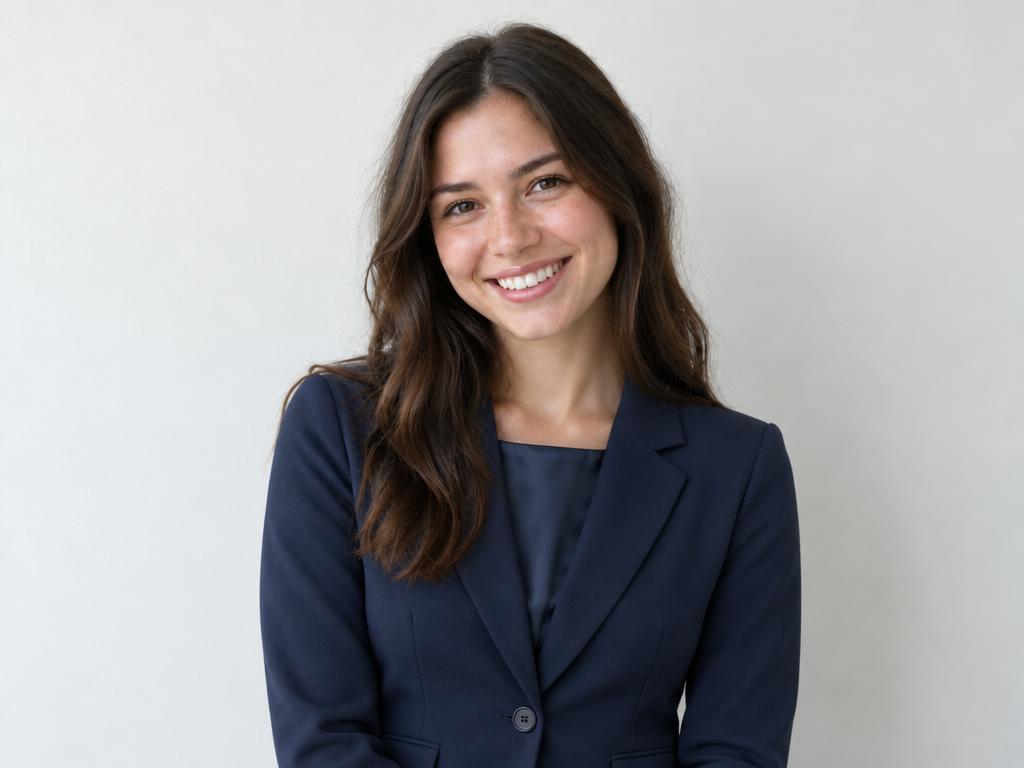
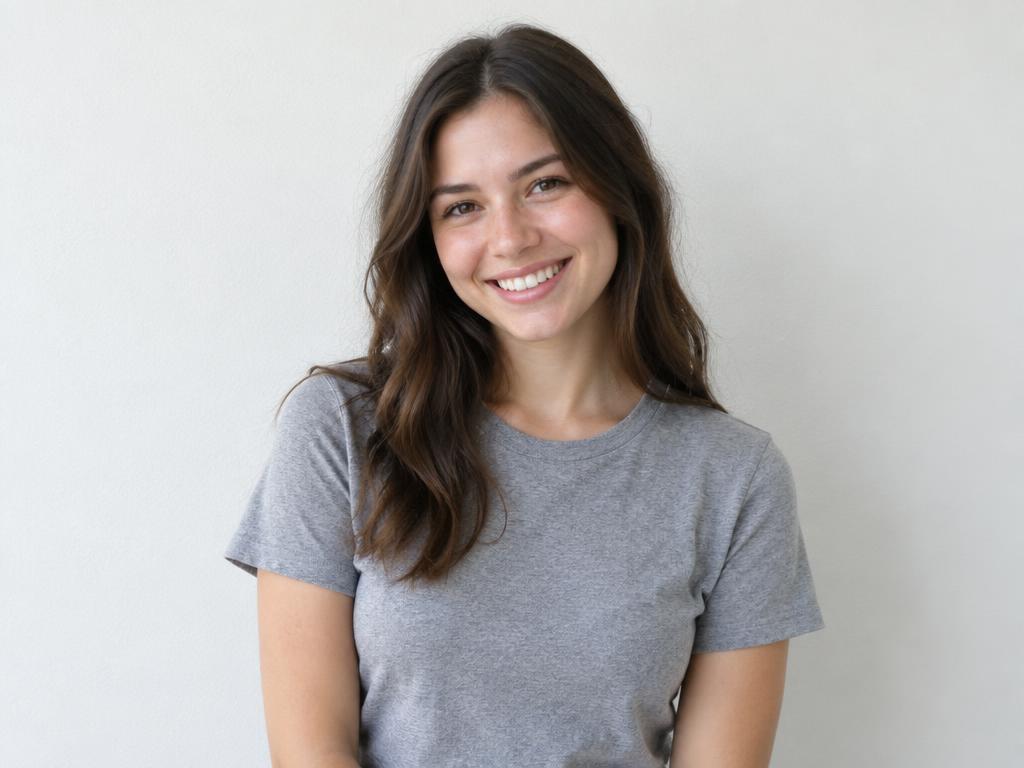
BeforeAfter
Casual to business-ready
A plain tee gains a tailored navy blazer — an instant LinkedIn upgrade.
Preview an outfit before you buy it, upgrade a headshot, or test a costume — our AI clothes changer dresses the person in your photo with garment photos or a simple description, matching fabric, fit and light.
Free credits on sign-up · JPG, PNG, WebP · No watermark
Every pair below ran through this page's own pipeline — the person photo on the left, dressed in the garment on the right. Drag any slider and check the collar: face, pose and background never move. Nothing here is a stock render.
A plain tee gains a tailored navy blazer — an instant LinkedIn upgrade.
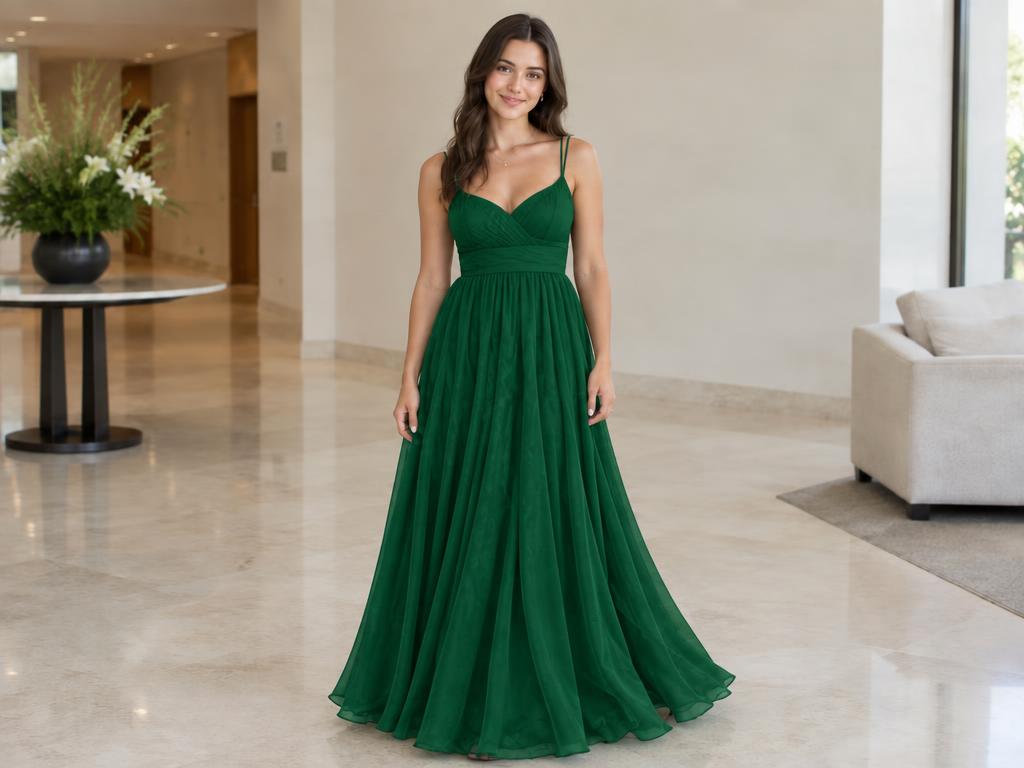
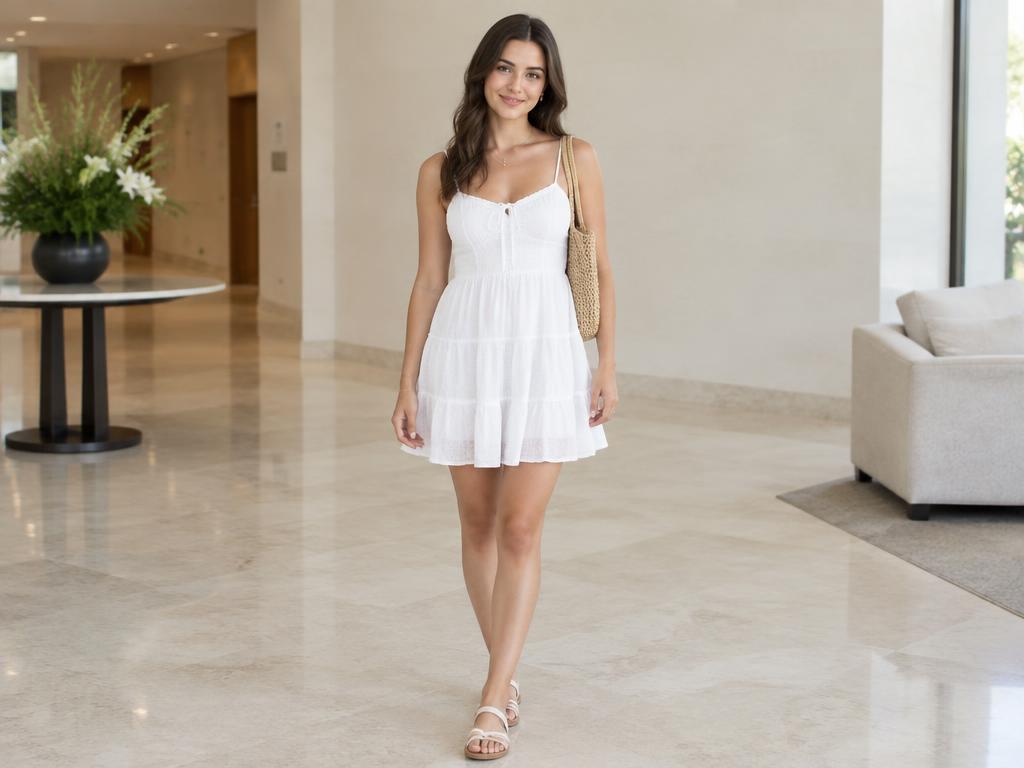
The summer dress becomes an emerald gown, lobby light and all.
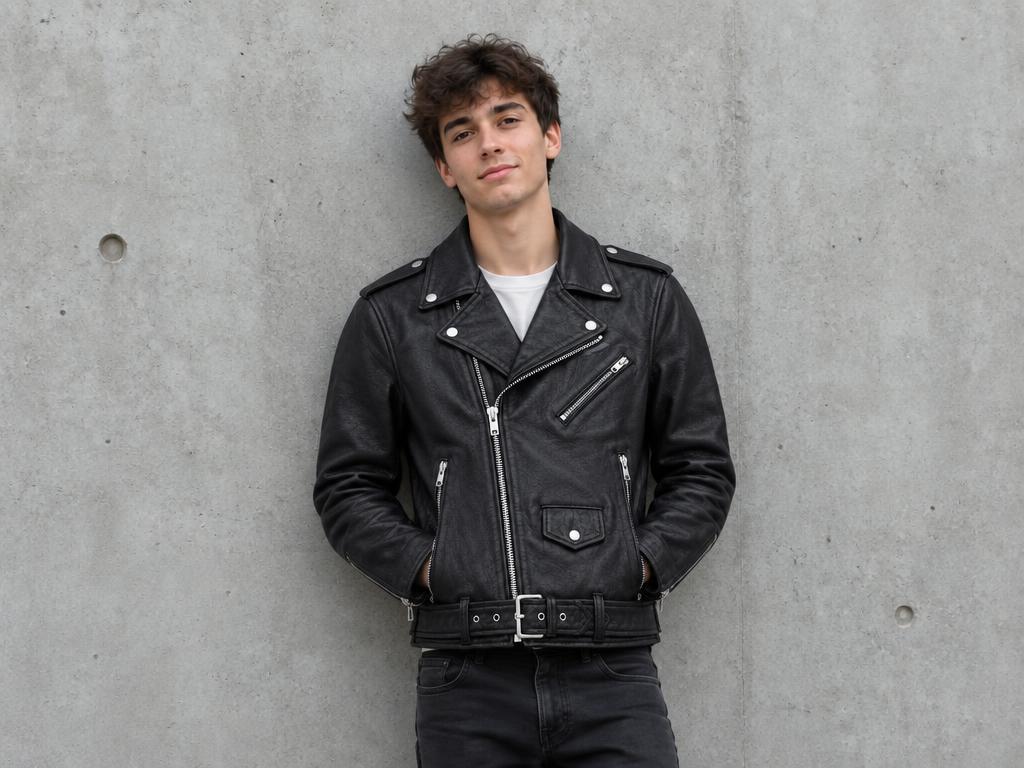
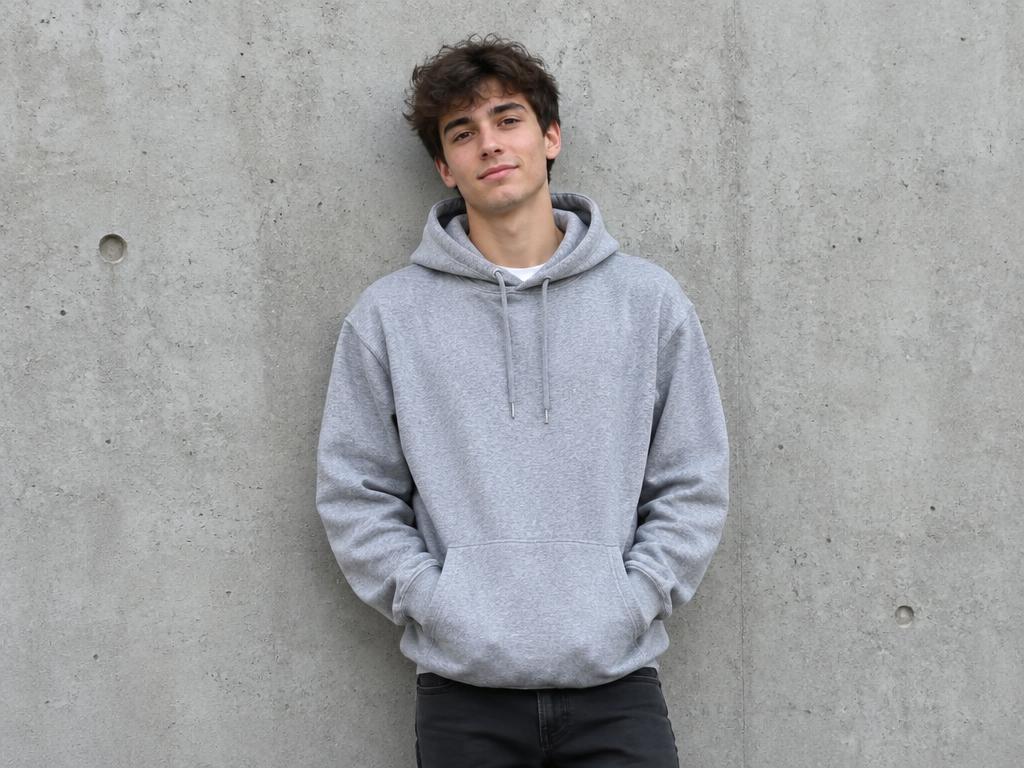
The gray hoodie swaps for a biker jacket, zippers catching the light.
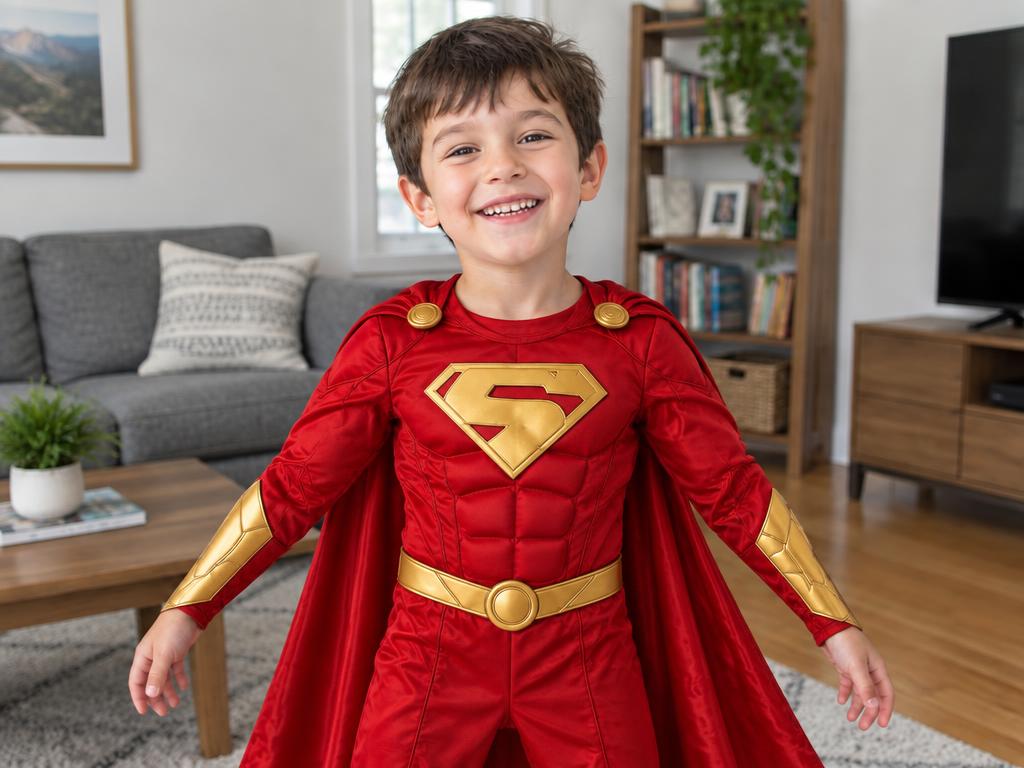
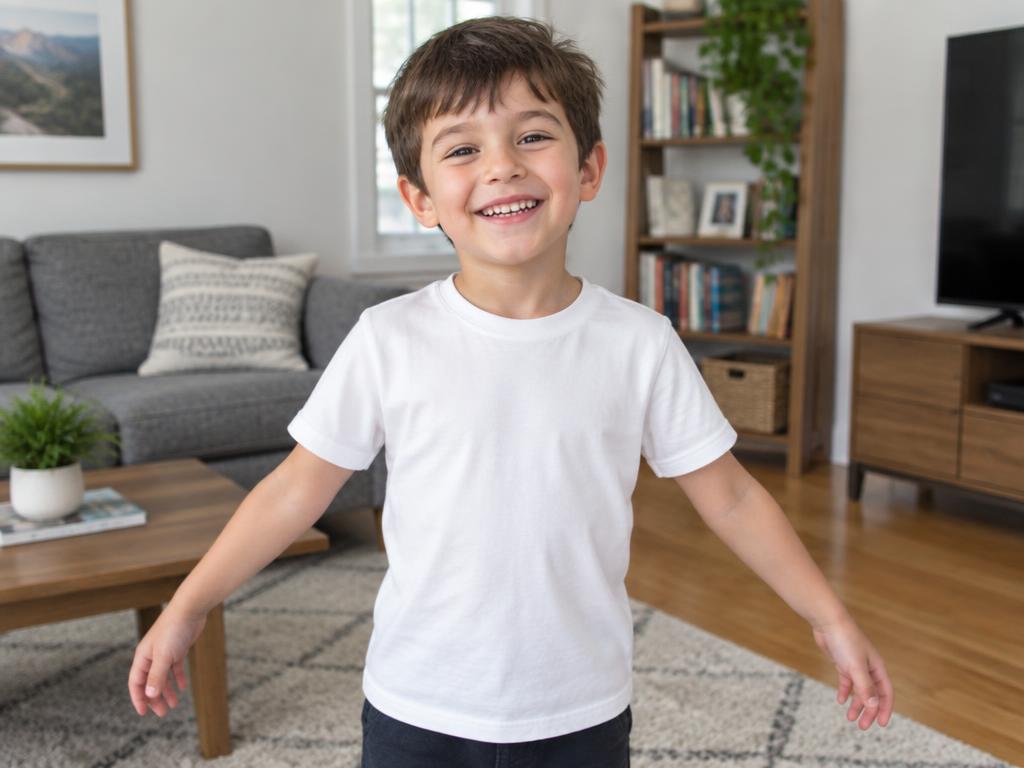
A white tee turns into a full superhero costume, cape included.
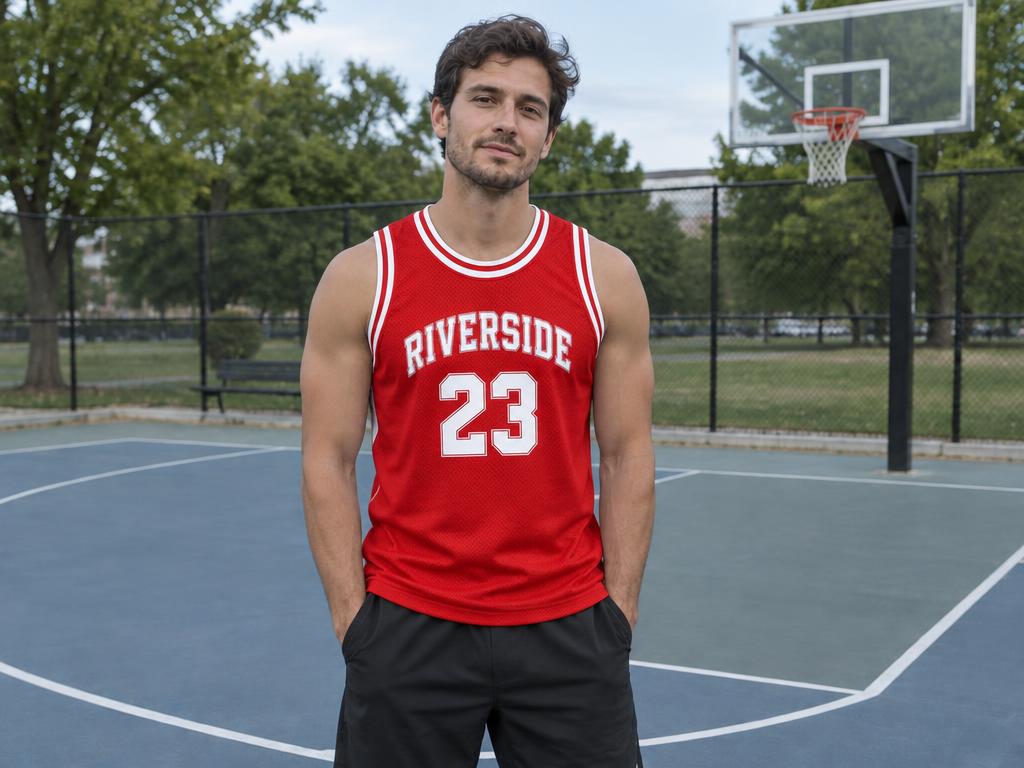
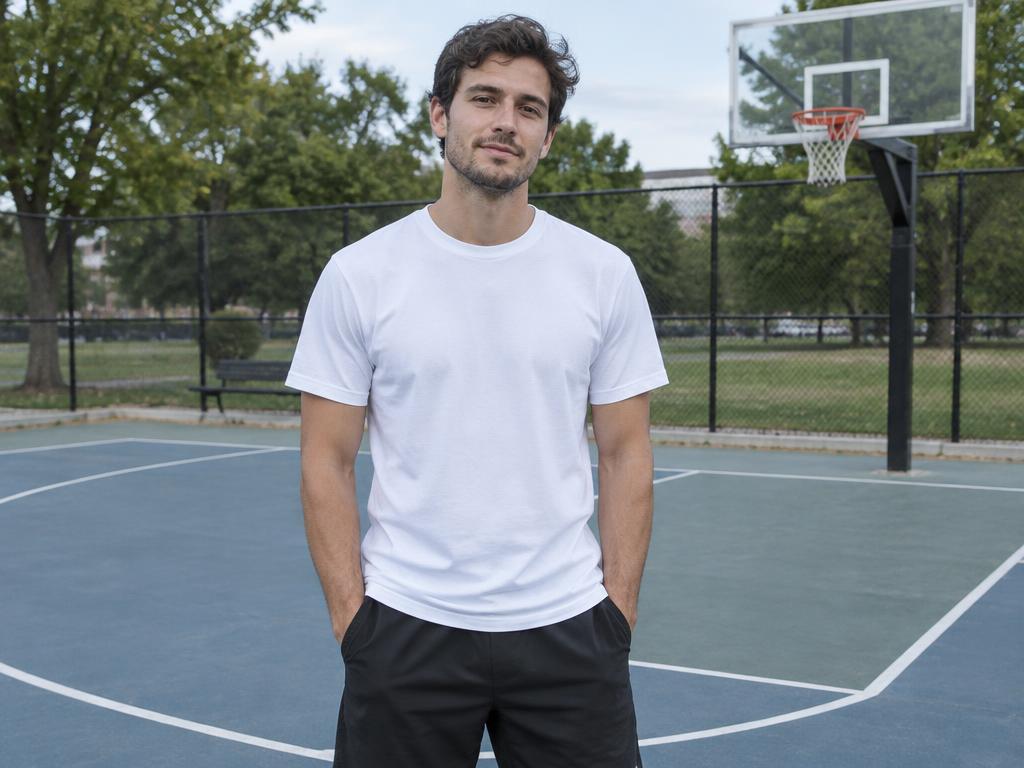
The plain shirt becomes the red jersey right on the court.
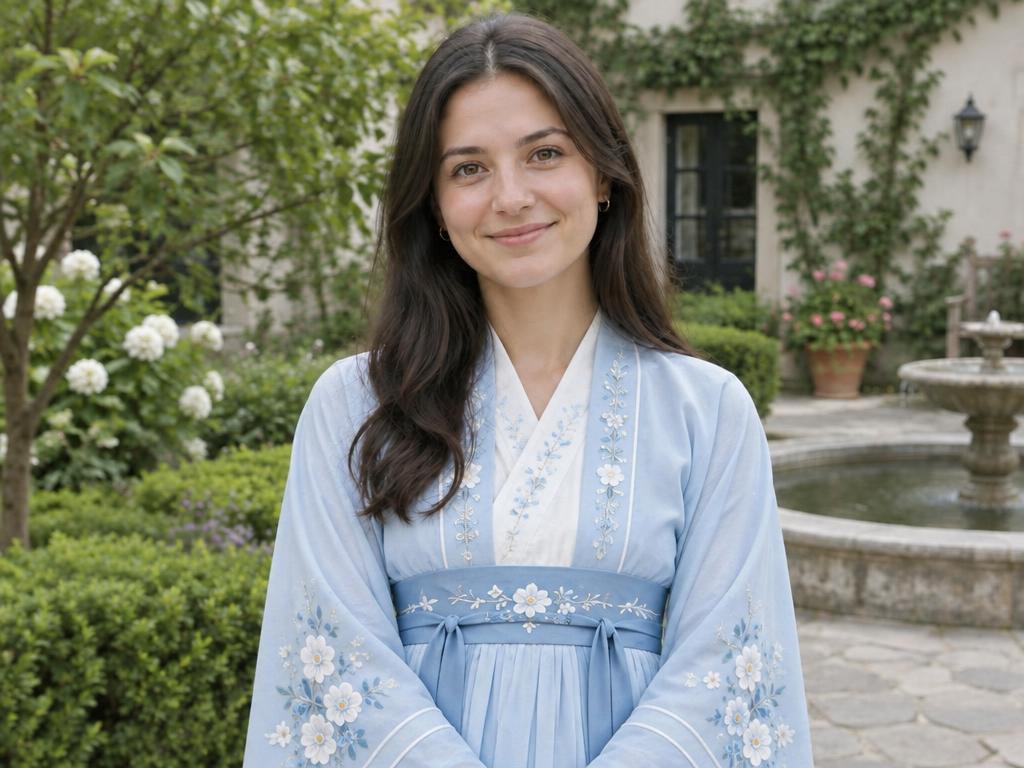
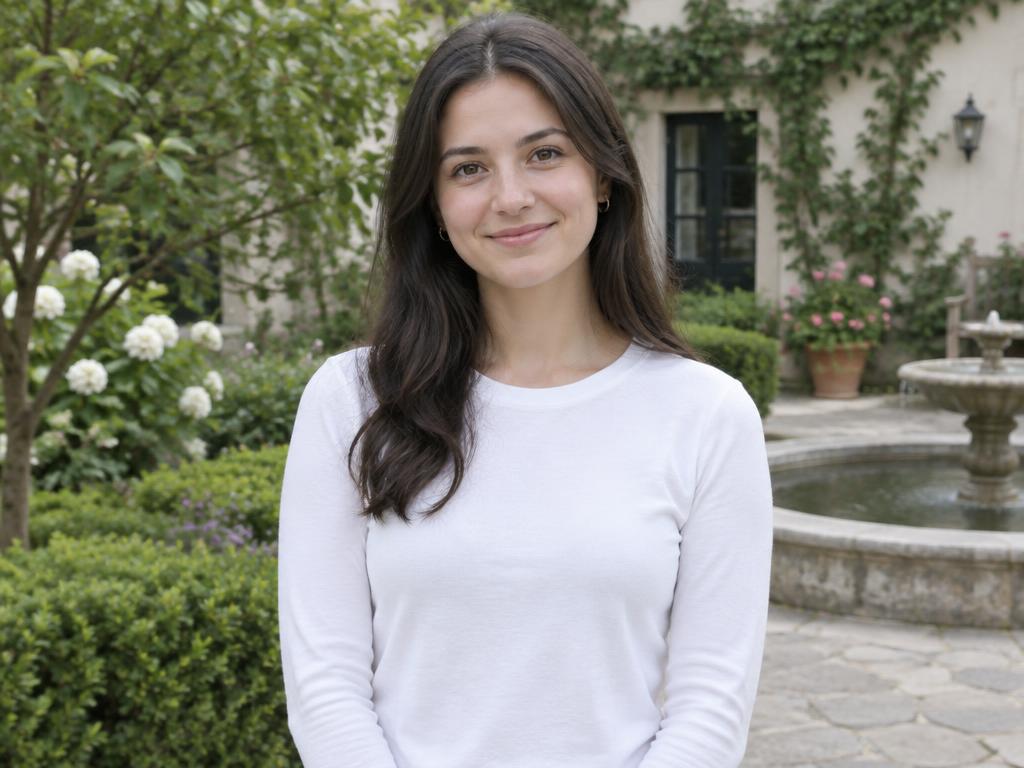
A simple top becomes a light-blue hanfu with embroidered sleeves.
Three steps — no fitting room, no reshoot, no sewing.
A clear photo with the outfit visible — full-body or waist-up both work. JPG, PNG and WebP from any phone or computer. Drag it in or paste it from the clipboard.
Upload up to 8 garment photos — flat lays and on-model shots both work — or write the look in words. Mark a garment on the photo when you only want one piece replaced.
About ten seconds later the person wears the new outfit with matched fabric, fit and lighting. Up to 4K, watermark-free on every plan.
Front-facing photos with the outfit fully visible give the cleanest fit — arms crossed over the chest hide what the model needs to see.
Flat-lay garment photos on plain backgrounds transfer most accurately; the model reads shape, fabric and pattern from them. On-model shots work too.
Changing just one piece? Mark it on the person photo and the rest of the outfit stays untouched.
The same new outfit, two very different afternoons.
Book the studio, ship the samples, hire the model, wait a week — then repeat it all when next season's line lands.
One existing photo plus a garment shot becomes a new look in about ten seconds — and the next colorway takes another ten.
For listings, lookbooks and headshots, the math is not close — and the samples never need shipping back.
New outfit, same person — down to the stitch.
Denim stays stiff, silk still flows, prints keep their pattern. The model reads the garment photo and rebuilds it on the body with believable folds and seams, matched to the light in the room.
The swap happens below the chin: identity, expression, body shape and the scene around the person all stay anchored to the original photo.
Only the jacket should change? Drop a marker on it. The rest of the outfit — shirt, pants, shoes — stays exactly as shot.
Results come back sharp enough for listings, lookbooks and print — never capped, never watermarked, on every plan.
Six wardrobes this tool quietly fills — from checkout hesitation to whole catalogs.
See the jacket on yourself before checkout — and return less.
A blazer over last year's photo beats booking a new shoot.
One model photo wears the whole catalog — every colorway, every season.
Test the costume on the kid before you commit to making it.
Preview the gown or the suit options without a single fitting.
Mix and match what you own with what you're eyeing, on you.
Upload the person photo, then add garment photos or describe the outfit. The AI dresses the person in the new clothing — rebuilding fabric, fit and folds to match the scene's lighting — while their face, pose, body and background stay anchored to the original.
Yes — new accounts receive free credits on sign-up, and a 1K swap costs 1 credit. Try several outfits before deciding on a paid plan for 2K or 4K output. Failed generations refund automatically.
No. The instruction locks the person's face, pose, body shape and the whole background to the original photo — only the clothing region is rebuilt. That is what makes the result read as a real photo of you.
The model matches the garment's fabric texture, pattern and drape to the body and relights it to the scene, so seams, collars and folds behave like real cloth. Flat-lay garment photos and front-facing portraits give the most convincing swaps. A second pass fixes any stubborn detail.
Yes. Upload the garment and mark only the piece you want replaced on the person photo — the jacket, not the shirt under it. Without a mark, the whole outfit is treated as the swap target.
Clear, front-facing photos where the current outfit is fully visible work best — full-body or waist-up. Plain backgrounds and even lighting help the model keep edges clean around the new clothing, especially at the collar and cuffs.
Paid plans include commercial rights for the images you create — listings, ads and lookbooks are all covered. Free-tier results are for personal use. Every download is watermark-free either way.
Yes. Your photos are used only to produce your result and are never used to train AI models. You can delete your uploads and generations from your account at any time.
Upload a photo, add a garment or describe one — your new look lands in seconds, and free credits are waiting on sign-up.