


BeforeAfter
Strangers in the background
The photobomber vanishes; the waves keep rolling in.
Strangers in the background, text, watermarks, wires and clutter — mark anything you want gone and our remove objects from photo tool erases it, then rebuilds the background behind it as if it was never there.
Free credits on sign-up · JPG, PNG, WebP · No watermark
Every pair below ran through this page's own pipeline — the original on the left, the rebuilt result on the right. Drag any slider to inspect the exact spot where the object used to be. Nothing staged, nothing stock.
The photobomber vanishes; the waves keep rolling in.
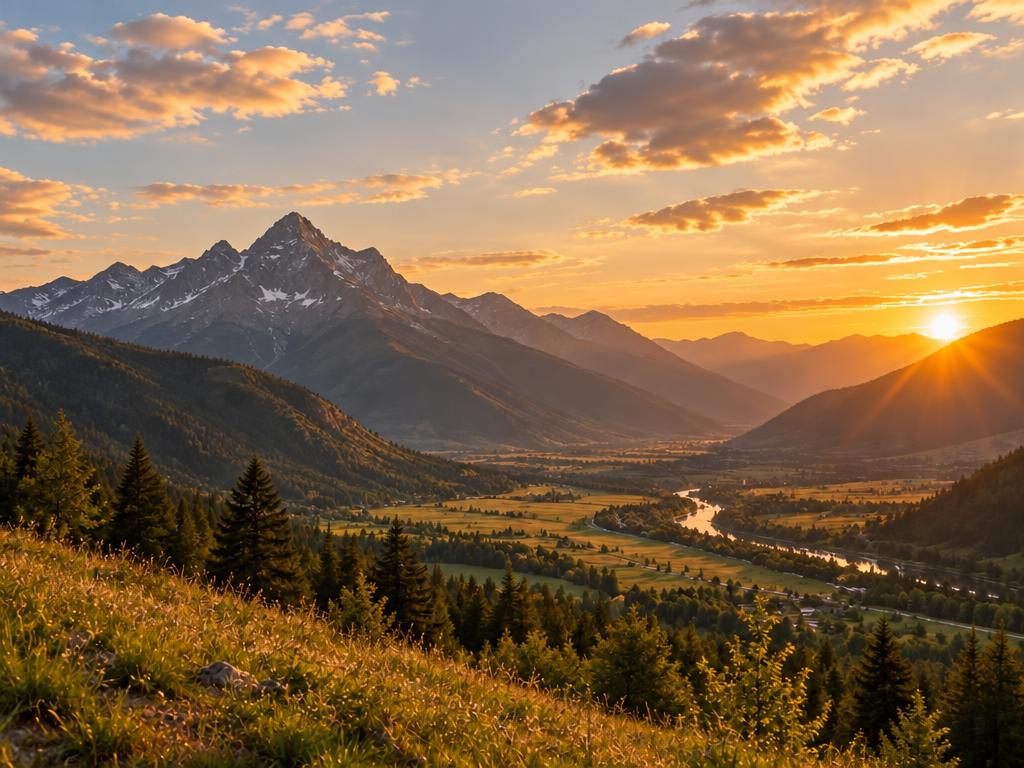
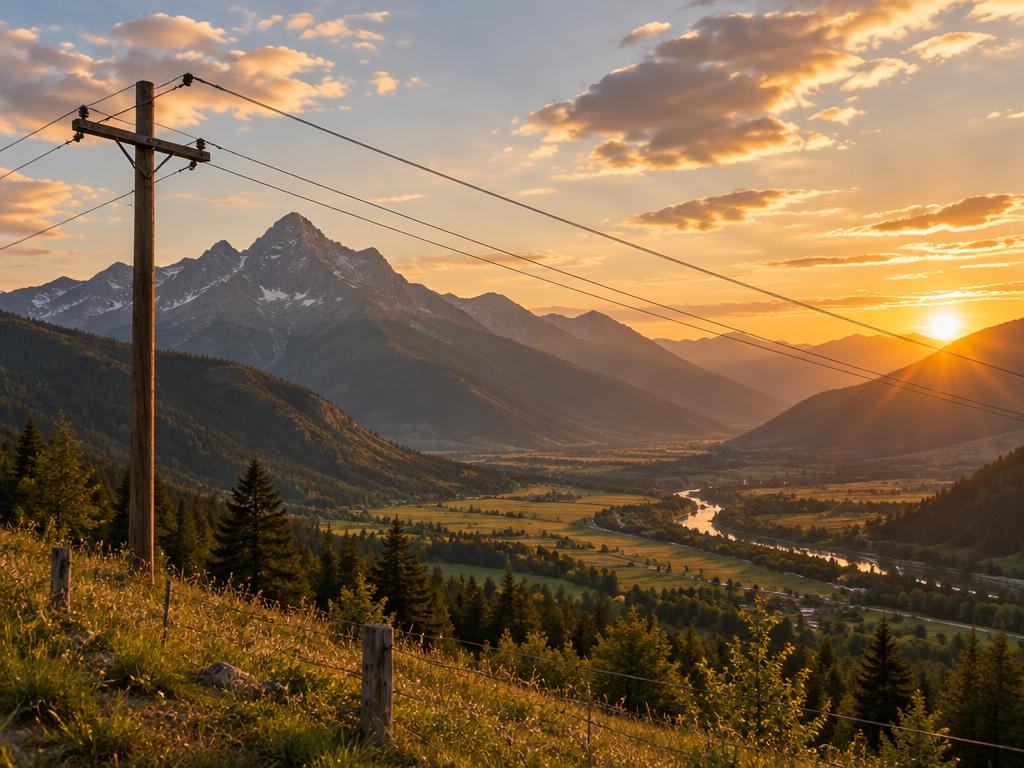
Wires across the sky are removed and the skyline stays clean.


The price sticker peels off without smearing the glass.
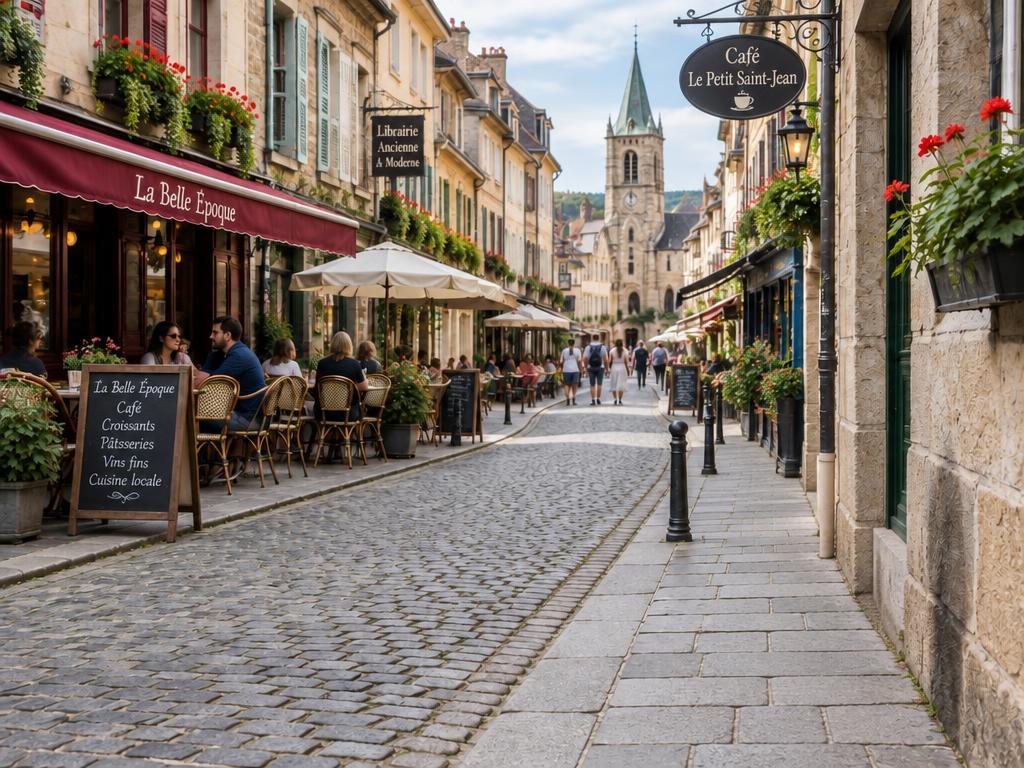
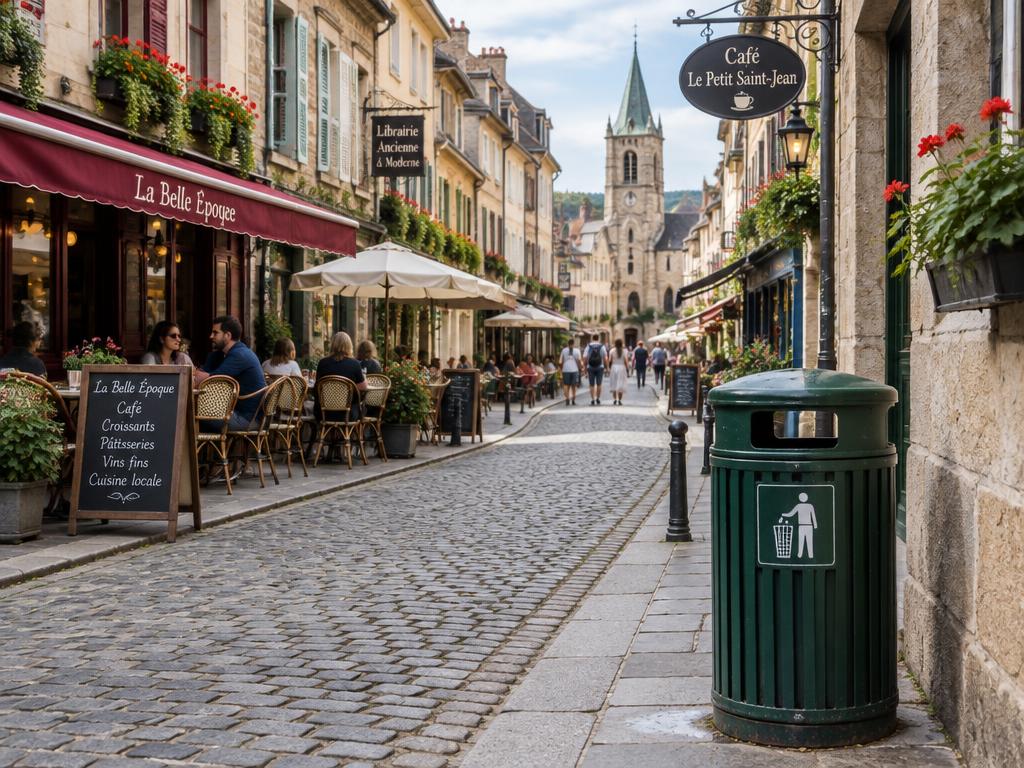
The green bin disappears and the cobblestones fill back in.

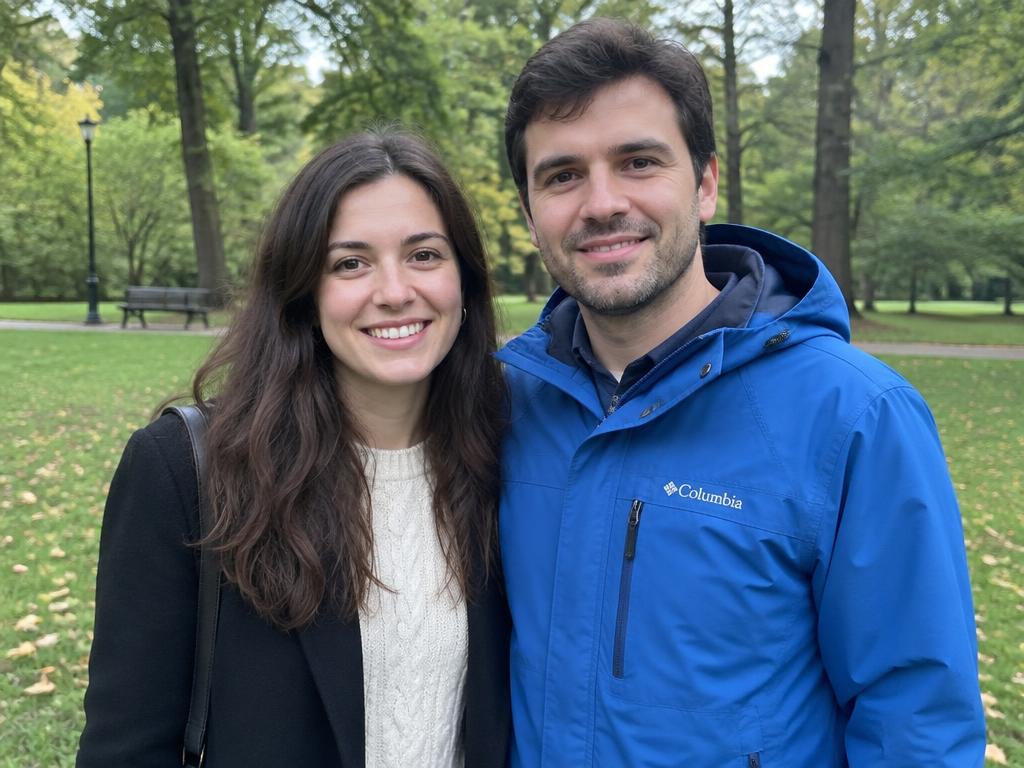
One of two people is removed, and the park closes around the gap.


Small distractions on skin are erased with the texture intact.
Three steps — no clone stamp, no healing brush, no Photoshop in sight.
Any picture with something you wish was not there — a stranger, a sticker, a wire. JPG, PNG and WebP from any phone or computer, one photo per pass.
Drop a marker onto the object and add a short note — or simply write what to remove in the guidance box. Brush strokes work too when an area is easier to paint than to point at.
About ten seconds later the object is gone and the space behind it is filled with matching light, texture and perspective. Download at up to 4K, watermark-free.
Mark the object's shadow as well — the model fills what you mark, and a leftover shadow gives the trick away.
Erase one object per pass when a photo is crowded; two clean passes beat one cluttered instruction.
Zoom in for small marks like blemishes or stickers, and keep each note short and specific — “the red car on the left” beats “the thing”.
If it's in the frame, it can leave the frame — from stray shadows to stubborn stickers.
Strangers, exes, that one tourist — gone, with the crowd or the beach filled in behind them.
Captions, price tags, brand marks and date stamps peel off without smearing.
Semi-transparent marks lift away and the texture underneath is rebuilt.
Power lines, trash bins, parked cars and other scene spoilers.
Bandages, stains and small skin distractions, retouched with pores intact.
Stray shadows and mirror reflections that ruin an otherwise good shot.
Mark it and it's gone — the background takes care of itself. It really is that simple.
Drop a marker on the object instead of brushing over it for a minute. Precise targeting means less guessing for the model — and cleaner edges for you.
The AI regenerates the region with matching light, texture and perspective instead of stretching nearby pixels, so walls, waves and crowds stay believable.
One stubborn spot left? Mark it again and take another pass. Multi-pass erasing is normal — two quick rounds beat one heavy one.
Results come back at the size you choose, sharp enough for listings, prints and portfolios — never capped, never watermarked.
Six everyday rescues for otherwise great shots, from camera-roll chaos to catalog polish.
Clean product shots minus the prop, the sticker or the reflection that snuck in.
Your landmark photo, minus the other two hundred tourists.
Cables, bins and personal items removed so rooms show their best.
Frame-worthy posts without the distracting detail in the corner.
Old prints saved from stains, date stamps and unfortunate background extras.
Mockups and UGC cleaned of watermarks and placeholder clutter before presentation.
You mark or describe what should disappear, and the AI erases it while regenerating the background behind it — light direction, texture and perspective all matched to the rest of the photo. Everything outside the marked region keeps its original pixels untouched.
Yes — new accounts receive free credits on sign-up, and a 1K result costs 1 credit. You can clean several photos before deciding on a paid plan for 2K or 4K output. Failed generations are refunded automatically.
No. Only the marked region is regenerated; every other pixel stays exactly as shot. Choose 2K or 4K output for listings and prints — edges, textures and fine detail stay sharp at full size.
Yes — background strangers, photobombers, or even one person out of a group shot. The AI fills the space with the surrounding scene, so crowds, beaches and streets close naturally around the gap.
Yes — captions, logos, stickers, date stamps and semi-transparent watermarks. The area underneath is rebuilt to match its surroundings instead of being blurred over, so glass, fabric and skin still read clean.
You can mark multiple objects in a single pass, or run a few quick passes one object at a time. For crowded photos, one object per pass usually gives the cleanest, most believable fill. Each pass costs the same few credits as the first.
Mark the leftover spot and run another pass — iteration is a normal part of object removal, and two quick passes beat one heavy instruction. Short, specific notes like “the red car on the left” also help the model target precisely.
Yes. Your images are used only to produce your result and are never used to train AI models. You can delete your uploads and generations from your account at any time. We know many of these photos are personal.
Upload a picture, mark what to erase, and watch the background close around it — free credits are waiting for new accounts.